Behind the scenes: inside your VegaDigi buyer dashboard - where your purchased source code, downloads and updates actually live
· VegaDigi Journal
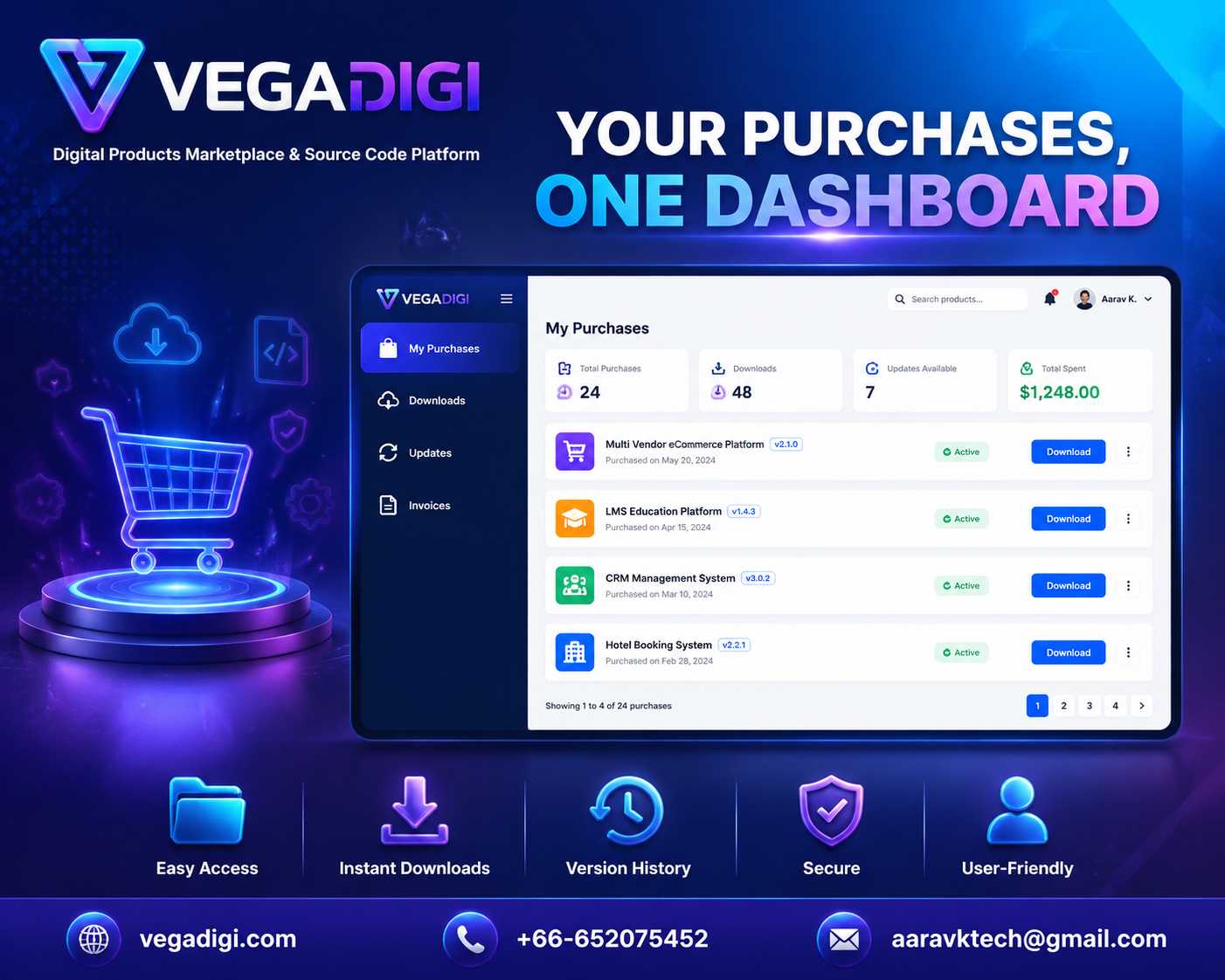
You click buy, the payment goes through, and then what? If youve ever bought a digital product online and immediately worried about losing the download link in your inbox, youre not alone. Heres a behind-the-scenes look at where your purchase actually goes once you buy source code on VegaDigi - and why it matters more than you might think.
Your Purchases Dont Live in Your Email Inbox
Most people assume a digital purchase means digging through emails every time you need the file again. On VegaDigi, every purchase - whether its a WordPress theme, a PHP script, an Android app source code package, or a SaaS starter - gets tied to your account and shows up inside your buyer dashboard. Log in, and its right there.
Downloads You Can Access Anytime
Projects dont always move in a straight line. Maybe you buy source code today but dont start customizing it for another two weeks. Maybe your laptop crashes and you need to re-download everything. Instead of hoping you saved the original download link, you just log back into your VegaDigi dashboard and grab the files again.
Tracking Updates Without the Guesswork
Source code products can receive updates from sellers over time - bug fixes, improvements, minor changes. Your dashboard is where you can see if an update is available for something youve purchased, instead of wondering if youre working with the latest version or an outdated one.
Invoices and Order History in One Place
For freelancers and agencies especially, having a clean record of what was purchased and when isnt just convenient - its practical for accounting, client billing, and simply keeping track of which foundation was used for which project. Your VegaDigi dashboard keeps that order history organized instead of scattered across payment confirmation emails.
Why This Matters More Than It Seems
It's easy to overlook something like a buyer dashboard when youre focused on the bigger picture - finding the right ready-made source code, customizing it, and launching your project. But the small operational details are often what separate a smooth workflow from a frustrating one. Knowing exactly where your purchases live, being able to re-download without friction, and tracking updates as they happen all add up to less time managing admin and more time actually building.
My Take
If youre buying source code as a one-off for a single side project, you might not think much about the dashboard until the day you need to redownload something and cant find the email. If youre a freelancer or agency buying multiple products across different client projects, this kind of organized buyer dashboard genuinely saves you time and headaches down the line. Either way, its worth logging in and taking a look around before you even make your first purchase - it gives you a much clearer sense of what owning source code on a platform like VegaDigi actually feels like day to day.