The File Manifest Preview: How VegaDigi Shows You Exactly What's Inside a Source Code Package Before You Buy
· VegaDigi Journal
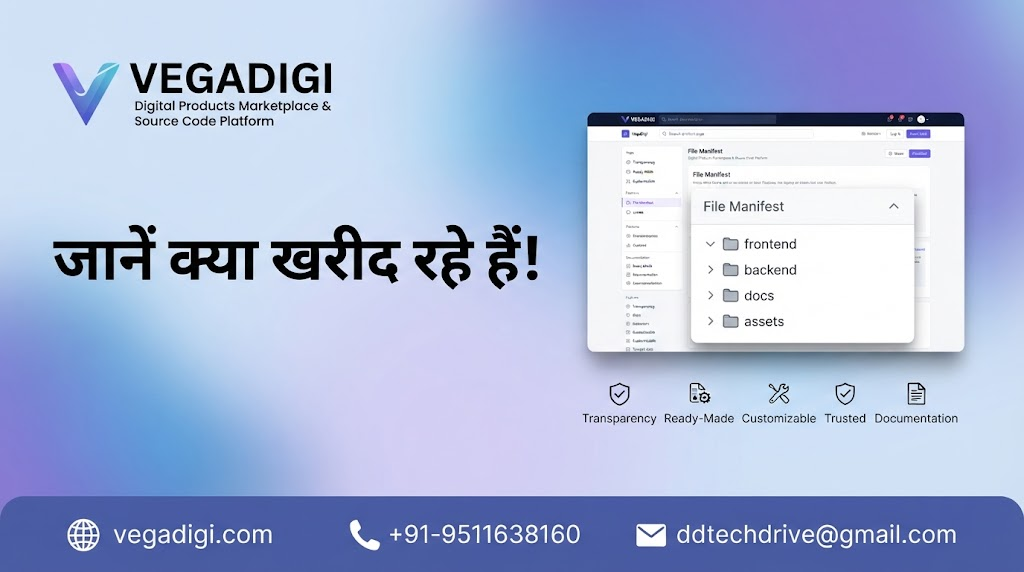
If you've ever bought a digital product online, you know the feeling: you pay, you download, and only then do you find out what you actually got. With source code, that's a bigger risk than it sounds - you're not just buying a file, you're buying a starting point for your next project. That's why knowing the contents upfront matters, and it's exactly what VegaDigi's file manifest feature is built for.
Why the file manifest matters more than you'd think
When you're evaluating ready-made source code, the product screenshots only tell you what the interface looks like. They don't tell you how the project is organized, whether the backend and frontend are separated cleanly, or if documentation is even included. VegaDigi lists a manifest on the product page itself - a breakdown of the folder structure like frontend, backend, docs, and assets - so you can judge the package on substance, not just visuals.
How it changes the buying decision
For a developer or agency, this is the difference between buying blind and buying informed. If you're comparing two similar-looking SaaS scripts or Android app source code listings, seeing the actual file structure can tell you a lot - is there a docs folder? Are assets organized separately from code? It's a small detail, but it directly affects how smoothly your customization and setup process will go once you own the files.
Who benefits most from this transparency
Freelancers juggling multiple client projects don't have time to open a ZIP file and reverse-engineer someone else's folder logic. Startups evaluating a SaaS script want to know the codebase isn't a tangled mess before they commit. Agencies delivering client work need predictability. A visible file manifest serves all of these use cases by setting expectations before the purchase, not after.
It's not a replacement for due diligence
To be clear, seeing a file manifest doesn't replace testing the live demo or checking whether the source code fits your tech stack - those are still worth doing. But it adds one more layer of clarity to a process that, for a lot of digital marketplaces, is frustratingly opaque. You shouldn't have to buy first and inspect later.
My take: if you're someone who has been burned before by digital purchases that didn't match expectations, this is exactly the kind of feature to look for in any marketplace, not just VegaDigi. Before you buy any source code anywhere, check if there's a way to preview the package contents. If there isn't, treat that as a yellow flag. If there is - like VegaDigi's file manifest - use it. It takes two minutes and can save you a lot of second-guessing after checkout.