The Shortlist Feature: Compare Ready-Made Source Code Before You Buy on VegaDigi
· VegaDigi Journal
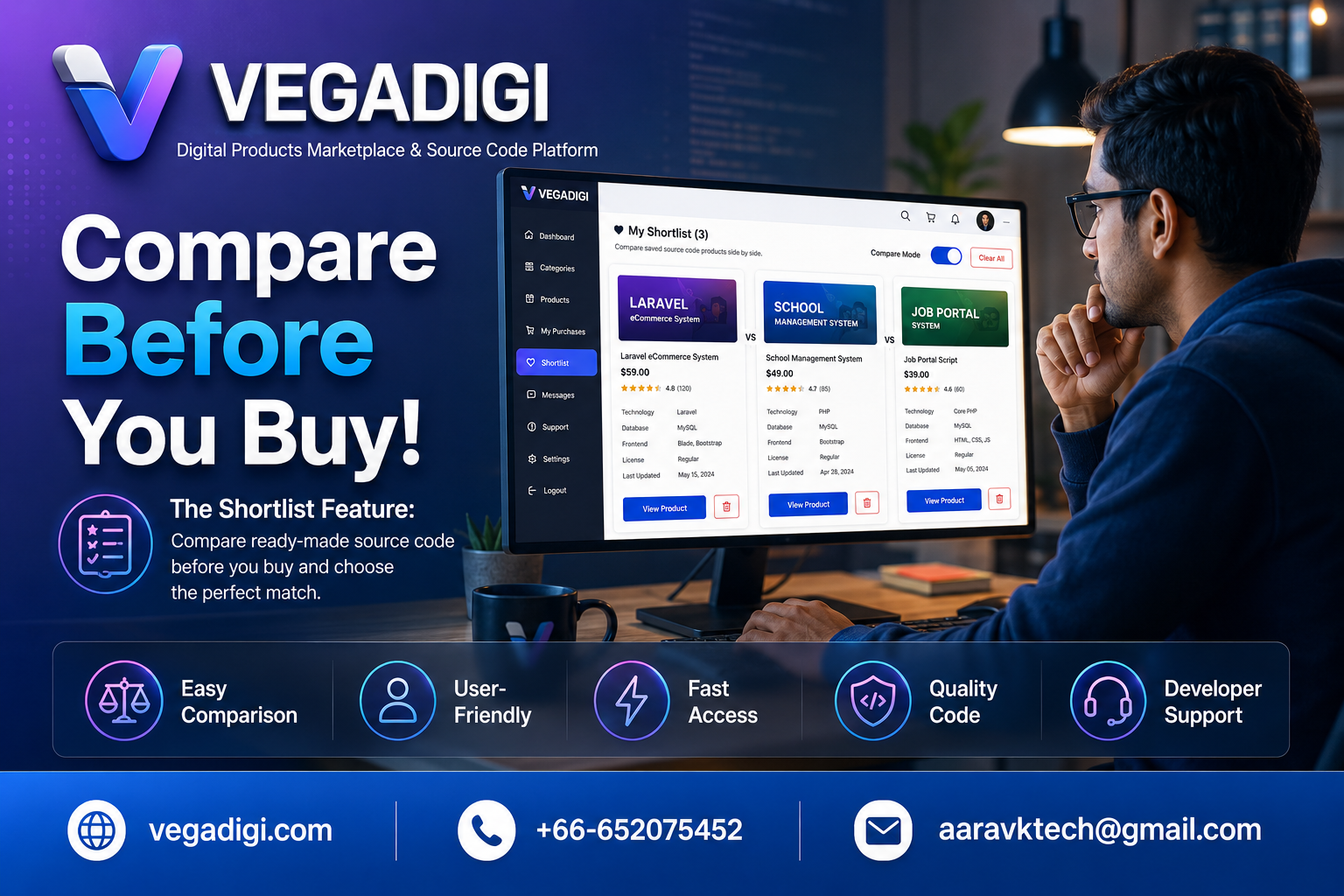
If you've ever had ten browser tabs open trying to remember which script had the admin panel you liked, or which SaaS starter had the dashboard layout that fit your idea, you already know the problem. Comparing source code products manually is tedious and it's easy to lose track of what you actually preferred. VegaDigi built a shortlist feature specifically to fix this, and it's one of those small tools that quietly saves a lot of back-and-forth.
Why Comparing Matters More Than You Think
Most buyers don't pick the first script they see. They browse, narrow down a few options, and go back and forth before deciding. That back-and-forth is where things get messy without a system. A shortlist turns scattered browsing into an organized shortlist you can actually work through.
How the Shortlist Actually Works
Inside your VegaDigi buyer dashboard, you can save any product you're considering to a shortlist with a single click. Instead of relying on memory or bookmarking random pages, everything you're evaluating sits in one place. When you're ready, you can pull up your saved items and look at them side by side.
Who This Actually Helps
Freelancers juggling client requirements, agencies comparing foundations for different projects, and solo founders weighing SaaS scripts against ecommerce options all run into the same decision fatigue. A shortlist doesn't make the decision for you, but it makes the decision process a lot less chaotic.
What It Doesn't Do
Worth being clear here: the shortlist helps you compare and organize, it doesn't replace actually reviewing the live demo, checking the file structure, or reading through requirements before you buy. Use it as a filtering step, not a substitute for due diligence.
My Take
If you're the type who buys the first thing that looks decent, you probably don't need this. But if you're someone who genuinely weighs two or three options before committing, the shortlist is worth using every single time. It costs nothing, takes a few clicks, and saves you from that annoying moment of re-opening five tabs trying to remember what you liked about each one. Small feature, real time saved.