The Wishlist Feature: Save Source Code Now, Decide Later — How Bookmarking on VegaDigi Helps You Compare Before You Commit
· VegaDigi Journal
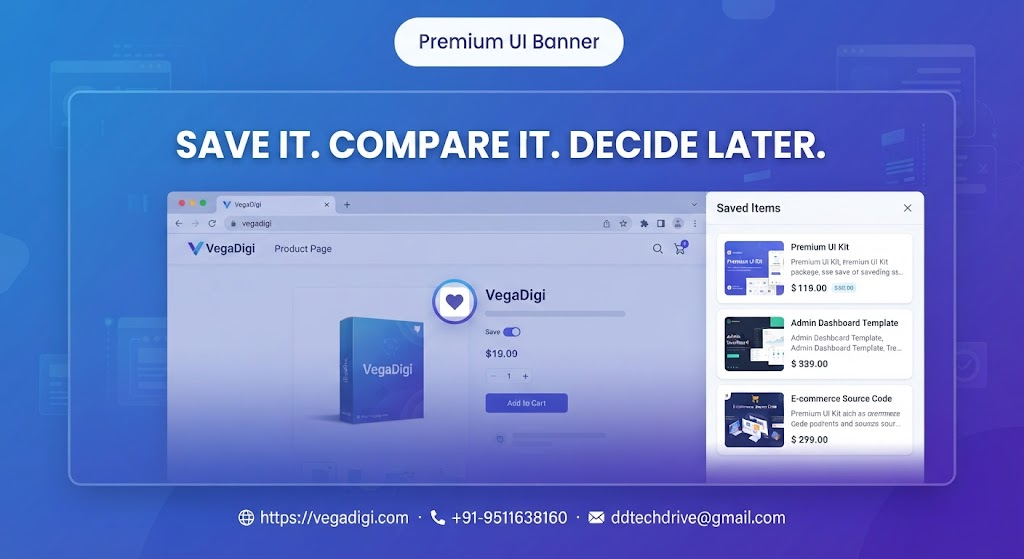
If you've ever browsed a marketplace, found something promising, and then completely lost track of it three tabs later, you already understand why a wishlist matters. On VegaDigi, this small feature quietly solves a real problem for developers, freelancers, and founders who are comparing multiple source code options before committing to one.
Why a wishlist actually matters when buying source code
Most people don't buy source code the moment they land on a product page. They look at a WordPress theme, then check an ecommerce script, then maybe glance at a SaaS starter — all before making a decision. Without a way to save these in one place, you end up relying on memory, browser history, or a messy list of open tabs. The wishlist on VegaDigi solves this directly: click save on any product, and it stays in your account, ready whenever you come back.
How it fits into a real evaluation process
Say you're a freelancer scoping a client's booking system. You might shortlist two or three different scripts that could work, depending on budget or specific client requirements that are still being finalized. Instead of re-searching the marketplace each time, your wishlist keeps those options together so you can pull them up, compare them, and make a final call once the requirements are locked in.
Agencies and teams get the same benefit
For small agencies, this becomes even more useful. One team member can browse the marketplace, save a handful of relevant options, and share that shortlist internally before a final decision is made. It turns a solo browsing session into something the whole team can weigh in on, without anyone having to redo the search from scratch.
It's not just about saving — it's about deciding with a clear head
There's a difference between buying on impulse and buying after comparing your actual options side by side. A wishlist gives you the breathing room to step away, think it over, maybe sleep on it, and come back with a clearer sense of which source code actually fits your project — rather than defaulting to whatever was in front of you first.
My take
If you're the type who buys the first thing that looks decent, you probably don't need this feature. But if you're evaluating source code for a client project, a startup MVP, or anything where the wrong pick costs you real rework later, use the wishlist. Save two or three candidates, compare them properly, then buy. It costs you nothing and it's the difference between a rushed decision and an informed one.